Press kit
Everything here is checkable. Screenshots are taken from the live site and may be used freely. No usage numbers appear on this page, because there are none worth quoting yet — see Status below.
🔒 Try it yourself — free, no signup, nothing is uploaded.
What it is, in one paragraph
QBOKit turns a bank statement into a file QuickBooks will accept. It takes a CSV, TSV, Excel .xlsx, PDF, or an existing .OFX/.QFX/.QBO, and writes .QBO (QuickBooks Web Connect), .OFX, .QIF, or a cleaned CSV. The conversion runs entirely in the browser: the statement is never uploaded, to this server or anywhere else. There is no account and no file limit.
Status — please do not overstate this
- First published 24 October 2026.
- I do not claim any usage. It is days old, it has had effectively no visitors yet, and nobody has paid anything. If a number would be useful to you, ask and I will tell you exactly what the logs say.
- Built and run by one person. There is no company, no funding and no PR behind it.
The two parts that are unusual
- A searchable copy of Intuit's institution directory. A
.QBOfile carriesFIDandINTU.BIDcodes identifying the bank; wrong codes mean QuickBooks refuses the import with "cannot verify the financial institution". Intuit publishes the list only as a rawfidir.txt. /bank-codes is the same data, searchable: 8,448 institutions, of which 847 list more than one id. Directory fetched 26 October 2026. - A correction about the Desktop bank-feed sunset. When a QuickBooks Desktop version's online services end, the bank feed is gone permanently. Intuit's notice also says uploading transactions is discontinued, which reads as though importing a file by hand dies too. It does not —
File → Utilities → Import → Web Connect Filesstill works, and that is what keeps a client on a sunset version going. The guide.
Price
The converter is free, with no account and no file limit, and is intended to stay that way. Batch conversion, duplicate-safe transaction ids and the forced re-import switch are all part of the free tool.
QBOKit Pro is planned at 49 EUR per year per person for the two things a single browser cannot do: column mappings that sync between machines and colleagues, and remembered institution settings per client. It is not built. There is a waitlist and nothing to pay.
What it cannot do
- PDF statements vary enormously. Rows are extracted in the browser and the preview shows what was found, including how many rows were skipped — that count is there to be checked, not ignored.
- A QIF file carries no account number, so the right account has to be picked at import time.
- Nothing is processed on a server, which is the point, but it also means there is no cross-device history and no recovery if a browser is cleared.
- The institution directory is Intuit's and changes without notice. If a code here is stale, the one that already works is the one to trust.
- Not affiliated with Intuit, QuickBooks or Xero.
Screenshots
Taken from the live site on 29 October 2026. Use them as they are.
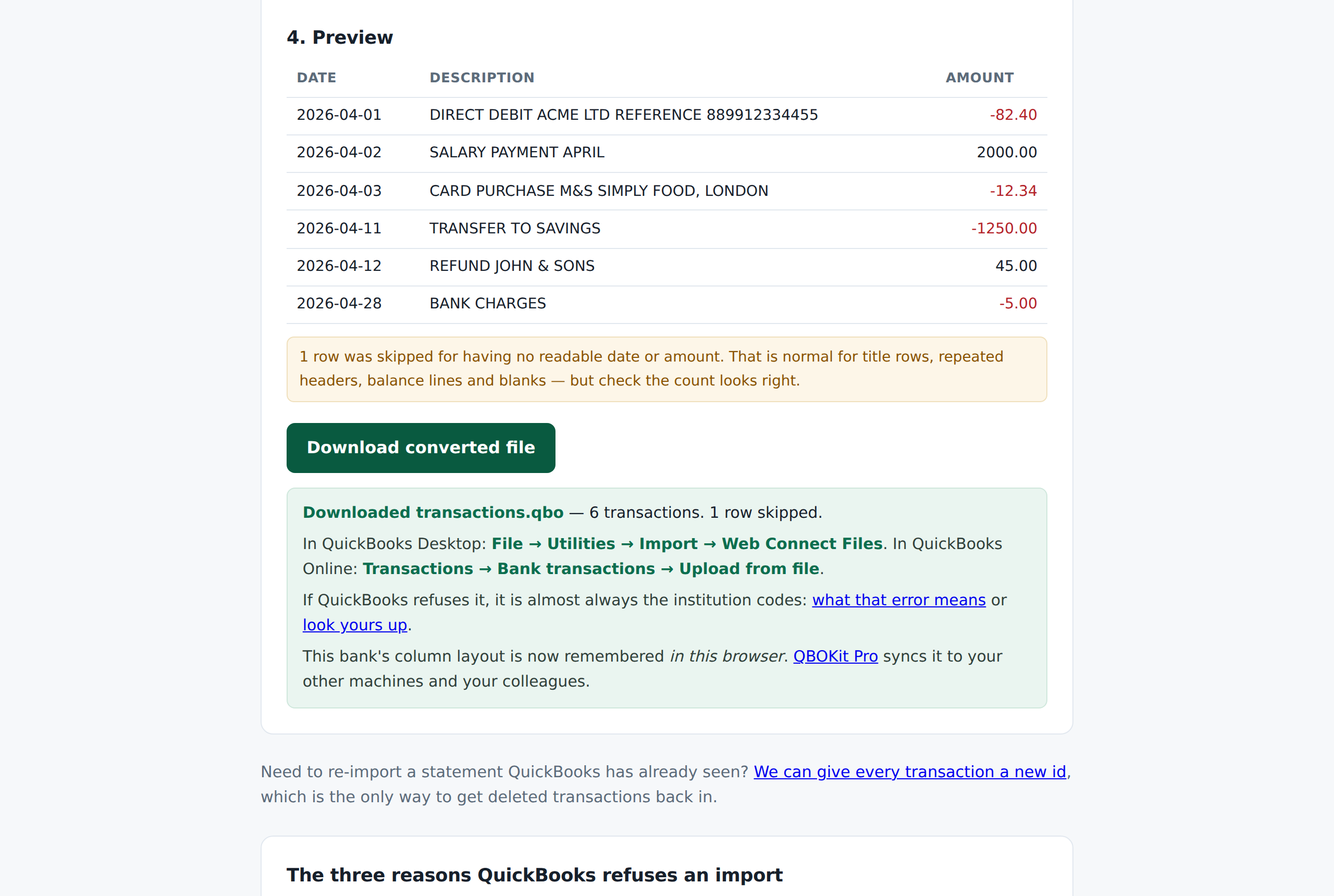
The converter after a conversion — preview, the skipped-row count, and what to do next in Desktop or Online.
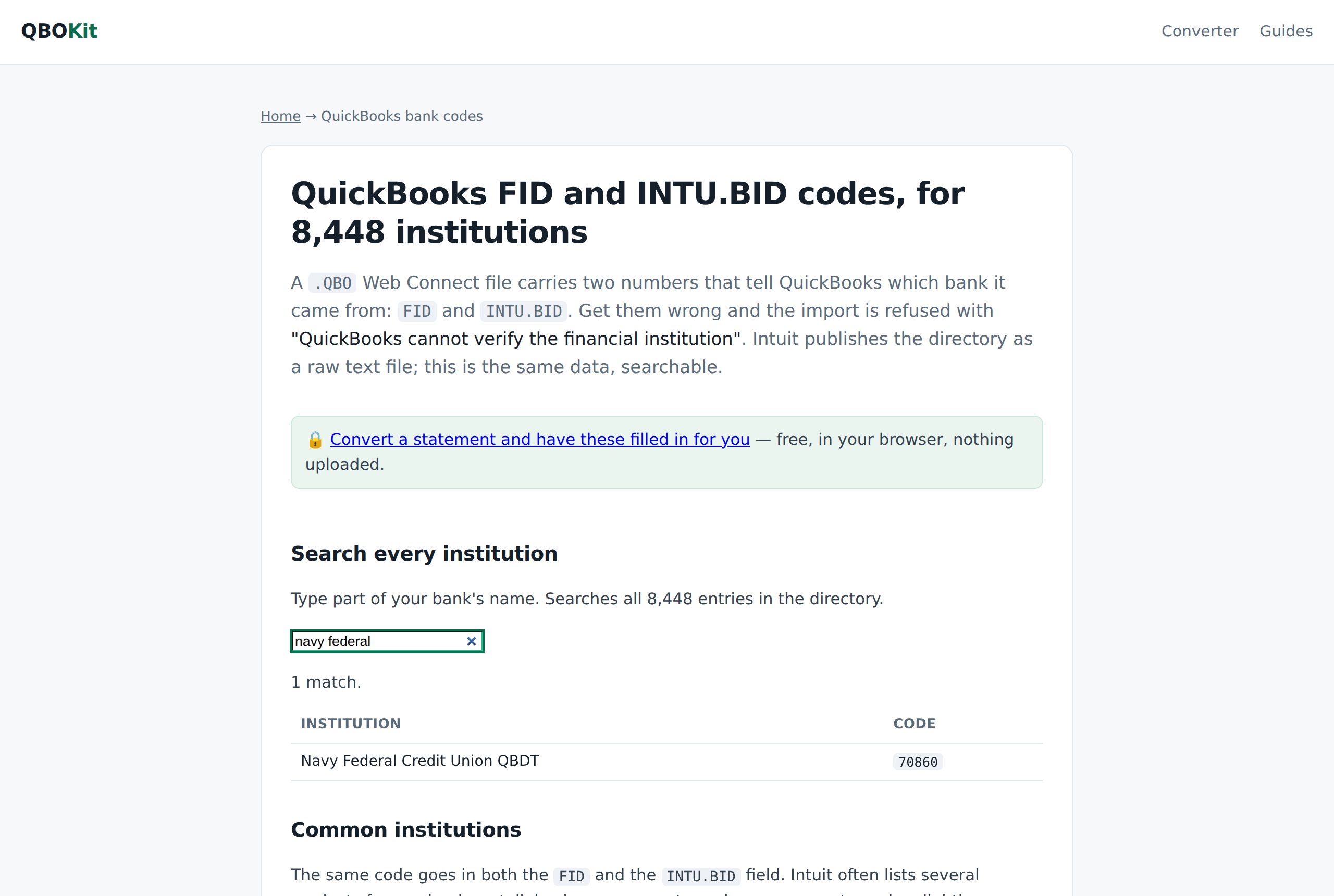
The bank-code lookup — searching Intuit's directory.
Contact
One address, read by me: hello@qbokit.com. Ask anything, including what it gets wrong. If you need a specific number, a screenshot of something particular, or the file format detail behind any of the above, say so and you will get it the same day.